









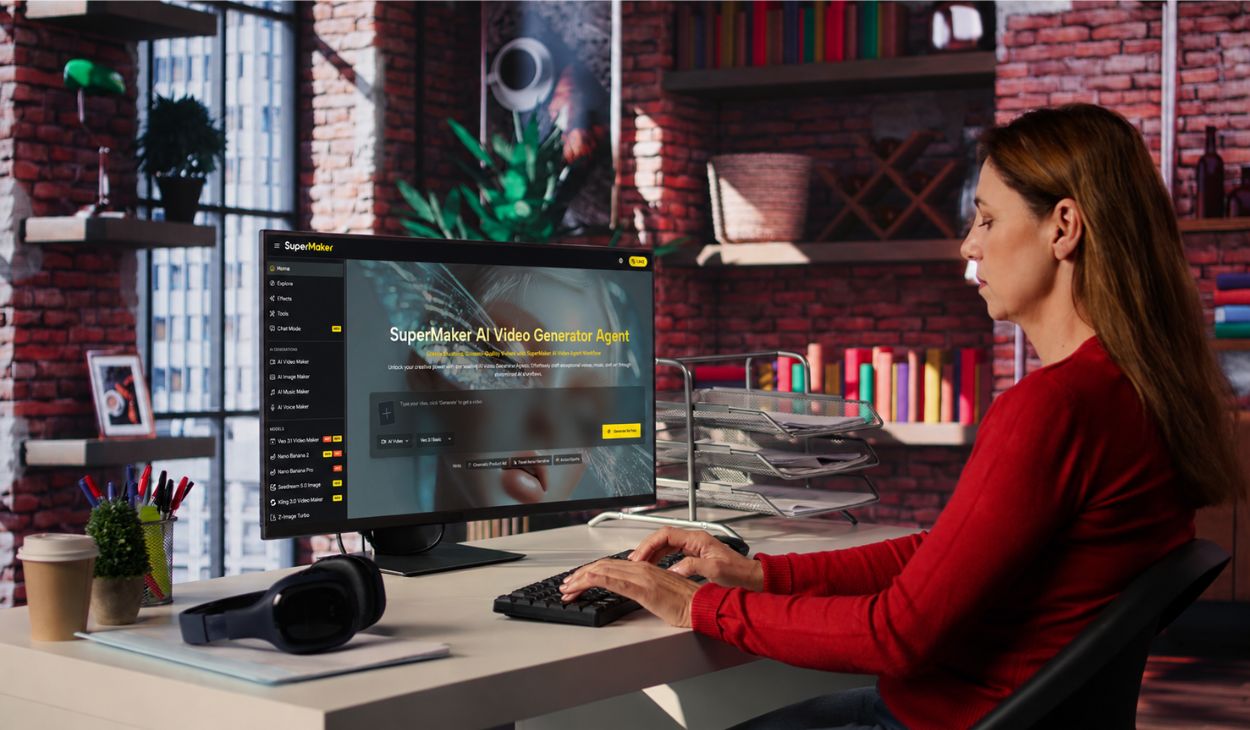
Video content has become the dominant language of the internet yet most creators still feel blocked by the cost, time, and technical skill that professional video production traditionally demands. That gap is exactly where modern AI video tools have stepped in to change the game.
AI Video Maker is an all-in-one platform that lets anyone go from a text idea to a cinema-quality video without touching editing software or hiring a crew. What sets it apart is not just generation speed, but an integrated creative ecosystem covering video, image, music, and voice all in one workspace.
Who This AI Video Maker Is Best For
SuperMaker is built for a wide range of creators, but it resonates most deeply with people who feel that traditional video production has too many moving parts. Consider the social media manager who needs to keep a content calendar full across Instagram, TikTok, and YouTube but has no dedicated video editor on the team. Or the small business owner who knows a product demo video would drive conversions, yet can’t justify outsourcing the cost every week.
Educators and trainers face a similar pain point: dense, text-heavy material that desperately needs to be visual, but converting it manually eats up hours that should go toward teaching. Independent filmmakers and storytellers want to develop scripts and visualize scenes early in pre-production, but storyboarding has always required either expensive artists or scrappy workarounds.
What all these users share is a need for speed without sacrificing quality, and creative flexibility without a steep learning curve. SuperMaker addresses each of these bottlenecks directly whether someone wants to drop a text prompt and generate a 4-second clip in seconds, or build a structured cinematic production with audio, storyboarding, and post-production all within the same platform.
Core Features of SuperMaker for AI Video Maker Workflows
SuperMaker AI Video Maker offers a tightly integrated suite of tools designed around the entire video creation lifecycle not just a single generation step.
1. Text-to-Video and Image-to-Video Generation
The foundation of the platform is its dual-input generation engine. Users can describe a scene in natural language and watch it rendered as a dynamic video clip (Text-to-Video), or upload a static image and have it animated into motion footage (Image-to-Video). Both modes support customizable settings including aspect ratio (16:9, 9:16), video duration (4s, 6s, 8s), and seed control for reproducible outputs.
2. Multi-Model Access Under One Roof
One of SuperMaker’s most distinctive advantages is access to a broad roster of leading AI video models within a single subscription. Users can switch between models like Google Veo 3.1, Seedance 2.0, Kling 3.0, HappyHorse 1.0, Wan 2.6, and more depending on the visual style or quality level they need. This eliminates the need to manage multiple subscriptions across competing platforms.
3. AI Canvas Workflow Studio
The AI Canvas Workflow Studio is a node-based visual pipeline builder arguably the platform’s most powerful differentiator. Creators can connect steps in sequence: write a script, generate images from it, pass those into the video generator, attach a voiceover, and add music all as a linked, reusable workflow. Batch-running entire project pipelines from a single canvas is a genuine production efficiency leap.
4. Integrated Audio: Voice, Music, and Sound Design
Unlike tools that handle visuals only, SuperMaker includes AI Voice Maker for multilingual natural-sounding narration, AI Music Maker for original royalty-free soundtracks, and synchronized sound effects. These tools tie directly into video projects, meaning creators don’t need to leave the platform to assemble a complete audio-visual product.
5. Ultra-Rich Effects Library
The platform maintains a constantly updated library of video and image effects from cinematic filters to viral creative formats (red carpet videos, cartoon-style conversions, lip sync, logo animation, and more). New effects are reportedly added daily, keeping the tool relevant for trend-driven social content.
How to Use SuperMaker AI Video Maker
Step 1: Describe or Upload Your Idea
Navigate to the AI Video Maker and either type a detailed text prompt for Text-to-Video, or upload a static image for Image-to-Video conversion. The more specific the input, the more accurately the AI renders the intended scene.
Step 2: Configure Your Settings
Select your preferred AI model (Veo 3.1, Seedance 2.0, Kling 3.0, etc.), choose your aspect ratio and duration, and adjust the seed value if you want reproducible results across generations.
Step 3: Generate the Video
Click “Generate Video.” SuperMaker’s engine processes the request and produces the clip in seconds to minutes depending on model and complexity. The result is saved automatically to your Assets Library.
Step 4: Enhance with Audio and Effects
Add an AI-generated voiceover via the AI Voice Maker, compose a background soundtrack with the AI Music Maker, or apply visual effects from the effects library to polish the final output.
Step 5: Export or Build a Workflow
Download the finished video as an MP4, or connect this generation step into a larger Canvas Workflow if you’re producing multi-scene or multi-format content at scale.
Comparison: SuperMaker vs. Other AI Video Platforms
SuperMaker’s differentiated position is the combination of multi-model flexibility and a truly end-to-end production suite rather than offering generation alone, it covers scripting, sound design, and workflow automation in a single platform.
Conclusion
The barrier to professional-quality video creation has dropped significantly and SuperMaker is one of the clearest examples of where that shift is heading. From quick social clips to structured multi-scene productions with synchronized audio, the platform handles far more of the creative pipeline than most users expect from an AI tool. Whether you’re a solo creator, a marketing team, or an educator, it’s worth exploring what the workflow looks like in practice. Visit SuperMaker AI and generate your first video for free no login or credit card required to see what the platform can do.