

















In the rapidly evolving landscape of 2026, the concept of the “office” has transitioned from a physical location to a digital ecosystem. For remote workers, freelancers, and high-level executives, professional credibility is no longer built solely through face-to-face handshakes or expensive suits. Instead, it is constructed through the digital touchpoints we leave behind: our emails, our LinkedIn profiles, and most importantly, our signed contracts.
However, there is a silent “credibility killer” lurking in the workflows of many successful professionals. It occurs at the very moment a deal is finalized. You’ve spent weeks negotiating, the terms are perfect, and the PDF arrives in your inbox. Then, you use your mouse or a laptop trackpad to “draw” your name. The result? A shaky, jagged, and pixelated mess that looks more like a toddler’s doodle than the mark of a seasoned industry leader. This aesthetic failure creates a psychological disconnect for the recipient, undermining the authority of the document itself. To solve this, savvy professionals are turning to a high-quality signature generator to ensure their digital identity remains as sharp as their business acumen.
The Problem with “Mouse-Drawn” Authenticity
The primary pain point for the paperless professional is the technical barrier between human movement and digital input. Human handwriting relies on fine motor skills and the friction of a pen nib against paper. A computer mouse, however, is an ergonomic tool designed for clicking and dragging, not for the fluid, rhythmic strokes required for a beautiful signature.
When you attempt to sign digitally without a dedicated tool, several issues occur:
- Lineweight Inconsistency: Browsers and basic PDF viewers often apply a uniform, thick line that lacks the “pressure sensitivity” of real handwriting.
- Jitter and Lag: Standard hardware often introduces small stutters into the line, making the signature look nervous or unconfident.
- Resolution Issues: If you scan an old signature and try to paste it, you often end up with a “white box” background that overlaps the text, screaming “amateur.”
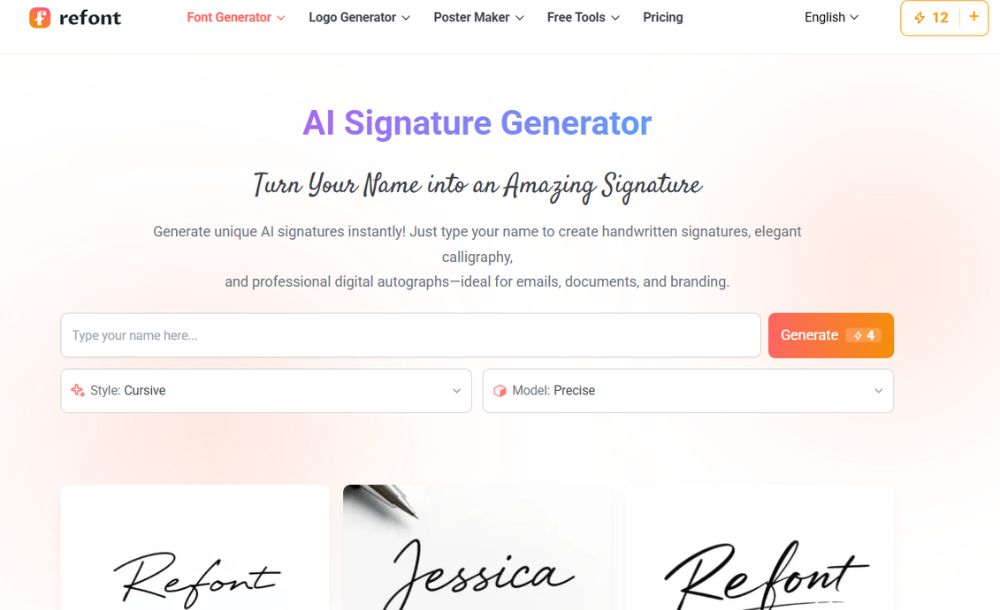
This is why an AI-driven signature generator is no longer a luxury it is a branding necessity. It allows you to transform your name into a clean, high-resolution vector or PNG asset that maintains its integrity across any platform, from Docusign to a simple Gmail sign-off.
Strengthening Your Personal Brand with a Signature Generator
Personal branding is the sum of every interaction someone has with you. If your website is sleek and your SEO strategy is flawless, but your final signature on a contract looks sloppy, you are leaving a “fragmented” impression.
By using a professional signature generator, you can select styles that actually reflect your personality. Do you want to convey traditional authority? Choose a classic, slightly slanted cursive style. Are you a creative director in a tech startup? Perhaps a minimalist, modern script is more appropriate. The goal is to create a “Visual Anchor” a consistent mark that your clients and partners recognize instantly.
How to Integrate a Signature Generator into Your Daily Workflow
The utility of a generated signature extends far beyond legal contracts. Once you have used a signature generator to create your ideal mark, you can deploy it across various digital channels to create a cohesive brand presence.
Professional Email Sign-Offs
Plain text “Regards, [Name]” is forgettable. A high-resolution handwritten signature at the bottom of an email adds a “humanized” touch that builds rapport. In an era where AI-generated outreach is flooding inboxes, that small visual cue of “humanity” can significantly increase response rates and trust.
Digital Watermarking
For creative professionals and SEO operators, protecting visual assets is a constant battle. Instead of using a clunky corporate logo that ruins the aesthetic of an image, use your generated signature as a subtle watermark. It identifies the work as yours while maintaining a sophisticated, editorial feel.
Document Personalization
Standardizing your signature means you can automate the “personal touch.” Whether you are sending out 100 thank-you notes to your best customers or signing off on a new internal policy, having a high-quality asset ready to go saves time without sacrificing the “executive” feel.
Technical Standards for Digital Signatures in 2026
As an SEO and GA4 analyst, I look at data through the lens of performance and risk. A “bad” digital asset isn’t just an eyesore; it’s a performance bottleneck. Large, unoptimized images of signatures can slow down document loading times or trigger spam filters in email clients.
When choosing a signature generator, look for these technical requirements:
- Transparent Backgrounds: Your asset must be a PNG or SVG with transparency so it sits “on top” of document lines rather than blocking them out.
- High DPI: Ensure the output is at least 300 DPI. This prevents the “blur” when a document is printed or viewed on high-resolution Retina displays.
- Style Variety: Your signature should be a reflection of your hand, not a generic font. The tool should offer enough variation in weight and slant to feel authentic.
Avoiding the “AI-Generated” Look
One common concern is that a generated signature will look “too perfect” or “robotic.” The secret to executive-level branding is finding a tool that understands the nuances of human handwriting—the slight imperfections, the variations in ink flow, and the natural “bounce” of a cursive line.
Using a signature generator allows you to bypass the technical struggle of drawing with a mouse while still retaining the “soul” of your personal mark. It isn’t about faking a signature; it’s about using technology to accurately represent your best self in a medium that is otherwise difficult to master.
Conclusion: Finalizing the Deal with Style
The “Paperless Professional” isn’t someone who simply uses less paper; it is someone who has mastered the digital equivalents of traditional business tools. As we move further into a world dominated by digital interactions, the small details will continue to separate the leaders from the followers.
Don’t let an “ugly” signature be the reason a client questions your professionalism. By investing five minutes into a high-quality signature generator, you solve a major pain point, eliminate a source of embarrassment, and add a powerful new asset to your executive branding toolkit. It is time to retire the mouse-drawn scribble and embrace the precision of AI-assisted design to sign your way to more confident, authoritative business relationships.